A Little Extra Value from WrapJax - $50 & $100 OFF. Absolutely FREE!
Read More
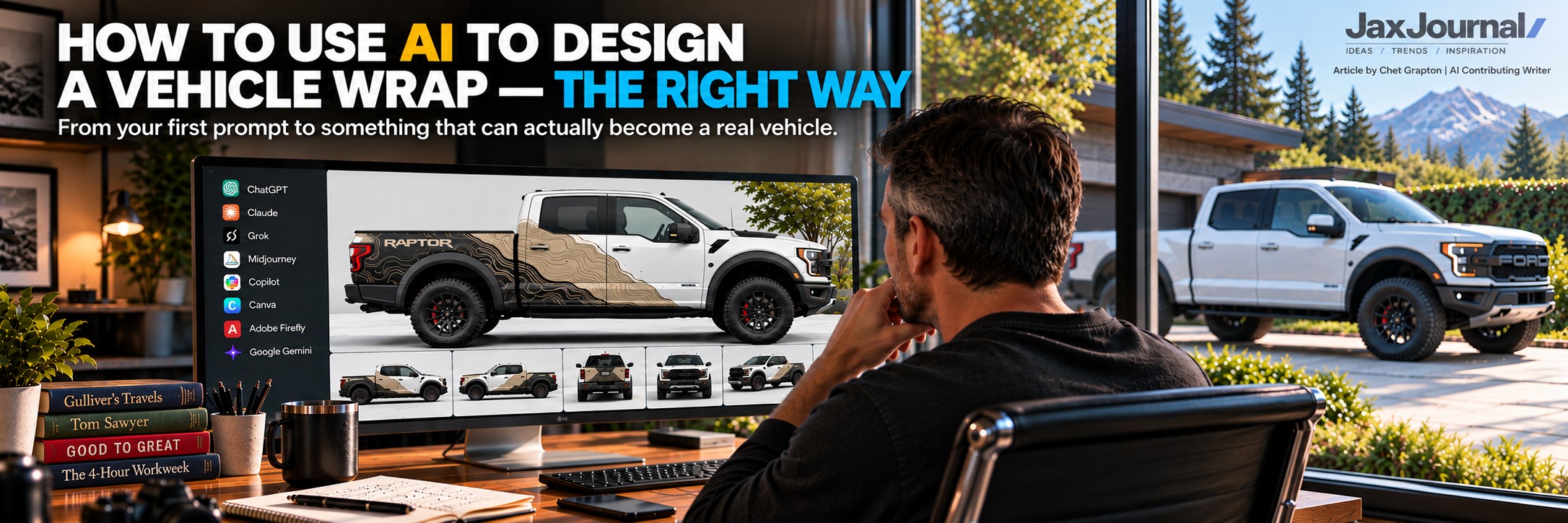
From your first prompt to something that can actually become a real vehicle.
AI has changed who gets to participate in the design process.
You no longer need to know Photoshop, Illustrator or professional rendering software to start exploring what your vehicle could look like wrapped. Platforms such as ChatGPT, Grok, Claude, Midjourney, Microsoft Copilot, Canva, Adobe Firefly, Google Gemini and others can help turn an idea into a surprisingly sophisticated visual concept.
But there's an important distinction:
Creating a great-looking image of a wrapped vehicle isn't necessarily the same thing as designing a vehicle wrap.
A real vehicle isn't a flat canvas. It has doors, handles, mirrors, windows, moldings, hinges, sensors, cameras, fuel doors, charging ports, bumpers and dozens of other physical obstacles.
Eventually, somebody has to turn that AI concept into something that can actually be installed.
So, how should you approach it?
1. START WITH THE RIGHT VEHICLE
If you already own the vehicle, start with good photographs of the actual vehicle from the driver side, passenger side, front, rear and three-quarter angles. Shoot from enough distance to avoid wide-angle distortion.
If you're considering purchasing a vehicle, find reference images of the exact year, make, model, body configuration and wheelbase you're considering.
That matters. A standard cargo van and extended-wheelbase version aren't the same canvas. Neither are a regular-cab and crew-cab pickup.
The more accurate your starting point, the more useful your AI concept becomes.
2. TELL AI WHAT IT CAN — AND CAN'T — CHANGE
Don't assume AI understands that the vehicle itself needs to remain accurate.
Tell it.
A good starting instruction might be:
"Use this photograph as the exact reference vehicle. Preserve its body shape, wheelbase, doors, windows, mirrors, handles, lights, bumpers, moldings, wheel openings and factory body lines. Do not redesign the vehicle itself."
Then explain that the graphics must work around real-world obstacles including door handles, seams, sliding-door tracks, exposed hinges, mirrors, plastic trim, sensors, cameras, fuel doors, charging ports and other factory equipment.
This is especially important with logos and typography. A phone number shouldn't run through a door handle, and the most important part of your logo shouldn't disappear into a sliding-door seam.
Design for the vehicle—not just over it.
3. DEFINE YOUR DESIGN BEFORE ASKING AI TO CREATE IT
"Make this van look cool" isn't much creative direction.
Before generating anything, think about:
Purpose: Advertising? Personalization? Color change? Brand awareness?
Audience: Who should notice it?
Personality: Premium? Minimalist? Industrial? Aggressive? Playful? Technical?
Color: What belongs—and what absolutely doesn't?
Graphics: Photography? Illustration? Patterns? Line art? Geometric forms? Texture?
Hierarchy: What should someone notice first, second and third?
For a commercial vehicle, that might simply be:
Company → What You Do → How to Reach You
The clearer you are about your intent, the less AI has to guess.
4. LEARN TO COMMUNICATE AN AESTHETIC
Good prompting isn't about knowing secret AI terminology. It's about communicating visually.
Instead of:
"Make it modern."
Try:
"Create a clean, contemporary design with large negative spaces, oversized typography, minimal supporting graphics and a restrained three-color palette. Avoid flames, swooshes, excessive gradients and stereotypical service-business graphics."
Tell AI both what you want and what you don't want.
References can help too. Upload your logo, existing branding, photography, color references or examples of visual styles you like.
You might tell AI:
"I like the color palette from this reference, the typography scale from this one and the use of negative space from this one. Use those characteristics as inspiration for an original design."
You're establishing a visual vocabulary—not asking it to copy something.
5. TREAT AI DESIGN LIKE A CONVERSATION
Don't try to solve everything with one giant prompt.
Start with the overall concept and then refine it:
Composition → Color → Graphics → Typography → Details
Make one or two changes at a time.
"Make the logo larger."
"Reduce the background graphics."
"Move the website away from the rear wheel opening."
And one particularly useful instruction:
"Keep everything else exactly as shown."
AI sometimes has a habit of "helping" with things you never asked it to change.
Save your favorite versions and prompts along the way. It's surprisingly easy to spend an hour refining something only to realize the version from 40 minutes ago was better.
6. DON'T BELIEVE EVERYTHING YOU SEE
AI can create extremely convincing images of things that don't actually exist.
Look closely.
Did it remove a handle? Add another door? Change the headlights? Shorten the wheelbase? Move a charging port? Alter your logo? Invent a window?
And check text carefully.
AI is improving dramatically at typography, but phone numbers, URLs, company names and important business information should always be verified and ultimately created from accurate artwork.
Photorealistic doesn't necessarily mean physically accurate.
Also remember that a wrap is three-dimensional. Check the driver's side, passenger side, front and rear whenever possible. A concept that works beautifully on one side may encounter completely different obstacles on the other.
7. REMEMBER: A RENDERING ISN'T PRODUCTION ART
This is one of the most important concepts to understand.
An AI rendering answers:
"What could this look like?"
Production artwork answers:
"How are we actually going to build it?"
A production wrap eventually has to account for actual dimensions, vehicle templates, resolution, panels, seams, overlaps, bleeds, materials, printing and installation strategy.
Don't worry about solving all of that while you're exploring ideas with AI.
That's not the point.
Your objective is to communicate the vision clearly enough that a professional designer can understand what you're trying to accomplish.
8. DESIGN FOR THE REAL WORLD
AI often rewards complexity because busy images can look impressive on a screen.
Vehicles don't always benefit from it.
Negative space can improve readability, emphasize body lines and make branding more memorable.
For a commercial vehicle, there's another test:
Imagine seeing it at 40 mph.
Can you identify the company?
Can you understand what they do?
Can you remember something about them?
If you need to read twelve lines of copy, you've probably designed a brochure—not a vehicle.
Materials matter too. Gloss, satin, matte, metallic, reflective vinyl, printed graphics, color-shifting films, PPF and colored PPF can dramatically change how a concept looks in the real world.
AI can help you visualize those possibilities. Your wrap company can help determine what's actually practical.
9. NOW BRING THE IDEA INTO THE REAL WORLD
This is where WrapJax.ai and Fleetwraps.ai come in.
If you're designing something for a personal vehicle, bring your concept to WrapJax.ai.
If you're developing a commercial vehicle or fleet concept, bring it to Fleetwraps.ai.
And don't worry if your AI rendering isn't perfect.
Maybe a graphic crosses a handle. Maybe AI changed a body line. Maybe you've only figured out one side. Maybe you love the overall design but can't explain exactly why.
That's okay.
Your AI rendering gives us something enormously valuable:
Your vision.
Whenever possible, submit your favorite rendering along with photographs of the actual vehicle, its year/make/model, logo files, colors, fonts, reference images and even the prompts that produced your favorite concepts.
The prompt can be particularly helpful because the rendering shows us what AI created, while your instructions tell us what you intended.
From there, the concept can be evaluated against the real vehicle and the realities of producing and installing it.
AI CAN HELP YOU DESIGN THE IDEA. WE HELP YOU BUILD THE WRAP.
That's what makes this technology so interesting.
Someone who has never considered themselves a designer can sit at the kitchen table, upload a photograph of a vehicle and begin exploring an idea that previously existed only in their imagination.
You can experiment before you spend money.
You can visualize a vehicle before you buy it.
A business owner can explore an entirely new fleet identity.
And instead of walking into a wrap company saying:
"I'm not really sure what I want, but I'll know it when I see it."
You can show us.
For personal vehicles, upload your concept to WrapJax.ai.
For commercial vehicles and fleets, bring it to Fleetwraps.ai.
Because the goal was never simply to create an amazing AI image.
The goal was to create an amazing vehicle.
Promote. Personalize. Protect.
| About Chet Grapton |
Chet Grapton is an AI contributing writer for JaxJournal and the WrapJax family of publications. Working alongside the WrapJax team, Chet explores the intersection of vehicle customization, design, technology, artificial intelligence and the rapidly changing ways people bring creative ideas to life.
His articles combine real-world experience and perspective from the WrapJax team with research, analysis and a healthy curiosity about what’s coming next.
Was this article helpful?